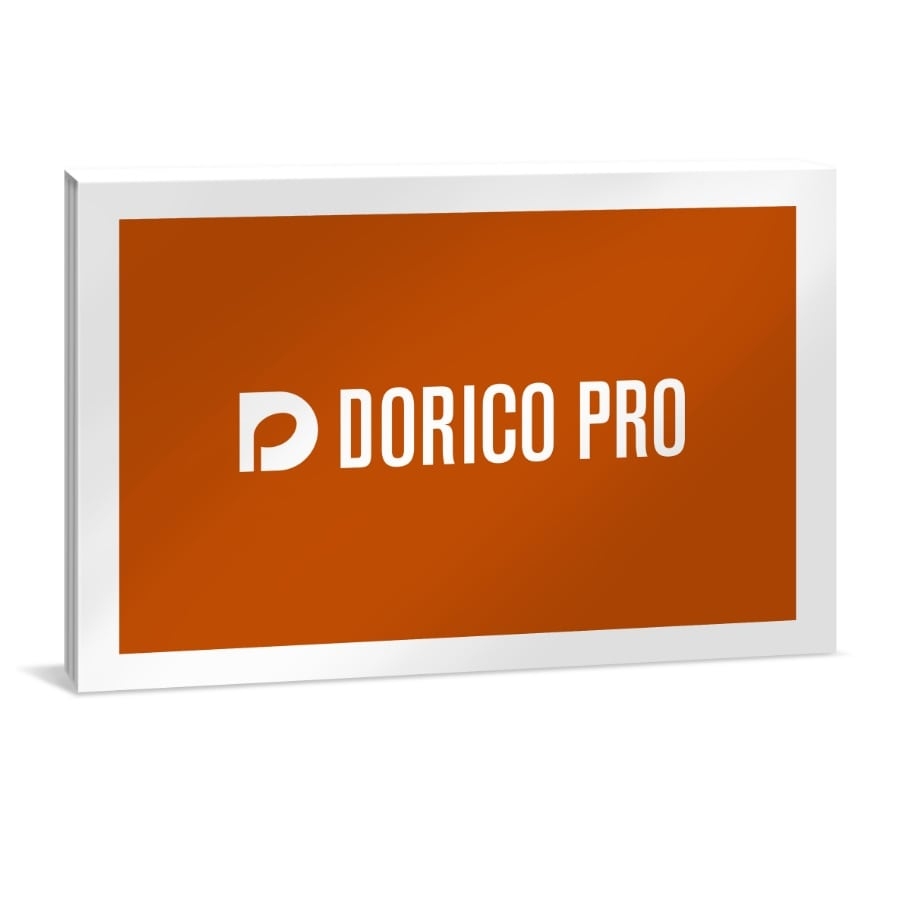
Steinberg Dorico Pro 6
.jpg)
.jpg)
.jpg)
Why Joh.deHeer?
- More than 125 years of experience
- 2500M2 Showroom
- Effective Customer Service
- Customers rate Joh.deHeer 9.5/10
- Description
- Specifications
- Graduated calculations
- Demonstration request
Dorico
Dorico is a handy music notation program. It’s very intuitive which means you can predominantly focus on composing and not on your computer. You can add multiple instruments to your composition and it’s easy to navigate between the instruments. Furthermore, the program is very flexible and ever aspect of you composition is easy and quick to change. For example, do you want to change the pitch? Just a few clicks and Bob’s your uncle. The program includes hundreds of high-quality sounds and effects. Moreover, it’s easy to export your work in different files, including MIDI.
Although Elements is a complete program, Pro has its perks. For beginners Elements will be sufficient, but Pro does have more functions. An important difference is that with Pro you can format your work professionally, even suitable for publication. Furthermore, with Pro you can customize just about everything, whilst with Elements this is limited. Pro also includes more filters and audio options. Additionally, when it comes to noting your composition, with Pro you have more options and functions. So music notation is a lot easier with Pro.
Improvements with Dorico Pro 6
Steinberg adds new functions with every version of the program. A great addition to version 6 is Proofreading. With Proofreading the program checks your work automatically and will highlight possible mistakes. Moreover, the program now has a loop function so you can loop bars you want to check. Another great addition to the program is that you now can add power chords, which means you can add another layer of chord notations above those you already have. Furthermore, you can adjust the size of your screen. So you can now split your screen and add another window next to Dorico.
Keep in mind: this product is software, there are no physical items included.
Would you like to test this product?
Visit our store and try it out.
- Description
- Specifications
- Graduated calculations
- Demonstration request
Dorico
Dorico is a handy music notation program. It’s very intuitive which means you can predominantly focus on composing and not on your computer. You can add multiple instruments to your composition and it’s easy to navigate between the instruments. Furthermore, the program is very flexible and ever aspect of you composition is easy and quick to change. For example, do you want to change the pitch? Just a few clicks and Bob’s your uncle. The program includes hundreds of high-quality sounds and effects. Moreover, it’s easy to export your work in different files, including MIDI.
Although Elements is a complete program, Pro has its perks. For beginners Elements will be sufficient, but Pro does have more functions. An important difference is that with Pro you can format your work professionally, even suitable for publication. Furthermore, with Pro you can customize just about everything, whilst with Elements this is limited. Pro also includes more filters and audio options. Additionally, when it comes to noting your composition, with Pro you have more options and functions. So music notation is a lot easier with Pro.
Improvements with Dorico Pro 6
Steinberg adds new functions with every version of the program. A great addition to version 6 is Proofreading. With Proofreading the program checks your work automatically and will highlight possible mistakes. Moreover, the program now has a loop function so you can loop bars you want to check. Another great addition to the program is that you now can add power chords, which means you can add another layer of chord notations above those you already have. Furthermore, you can adjust the size of your screen. So you can now split your screen and add another window next to Dorico.
Keep in mind: this product is software, there are no physical items included.
Would you like to test this product?
Visit our store and try it out.
BUNDLE OFFERS
.jpg "Roland SRX ORCHESTRA Software Synthesizer")
.jpg "Roland n/zyme Model Expansion")
.jpg "Steinberg Dorico Pro 6 Crossgrade (Sibelius & Capella)")
.jpg "{rs_getrelatedproducts.model_titel_2}")
(1).jpg "{rs_getrelatedproducts.model_titel_2}")